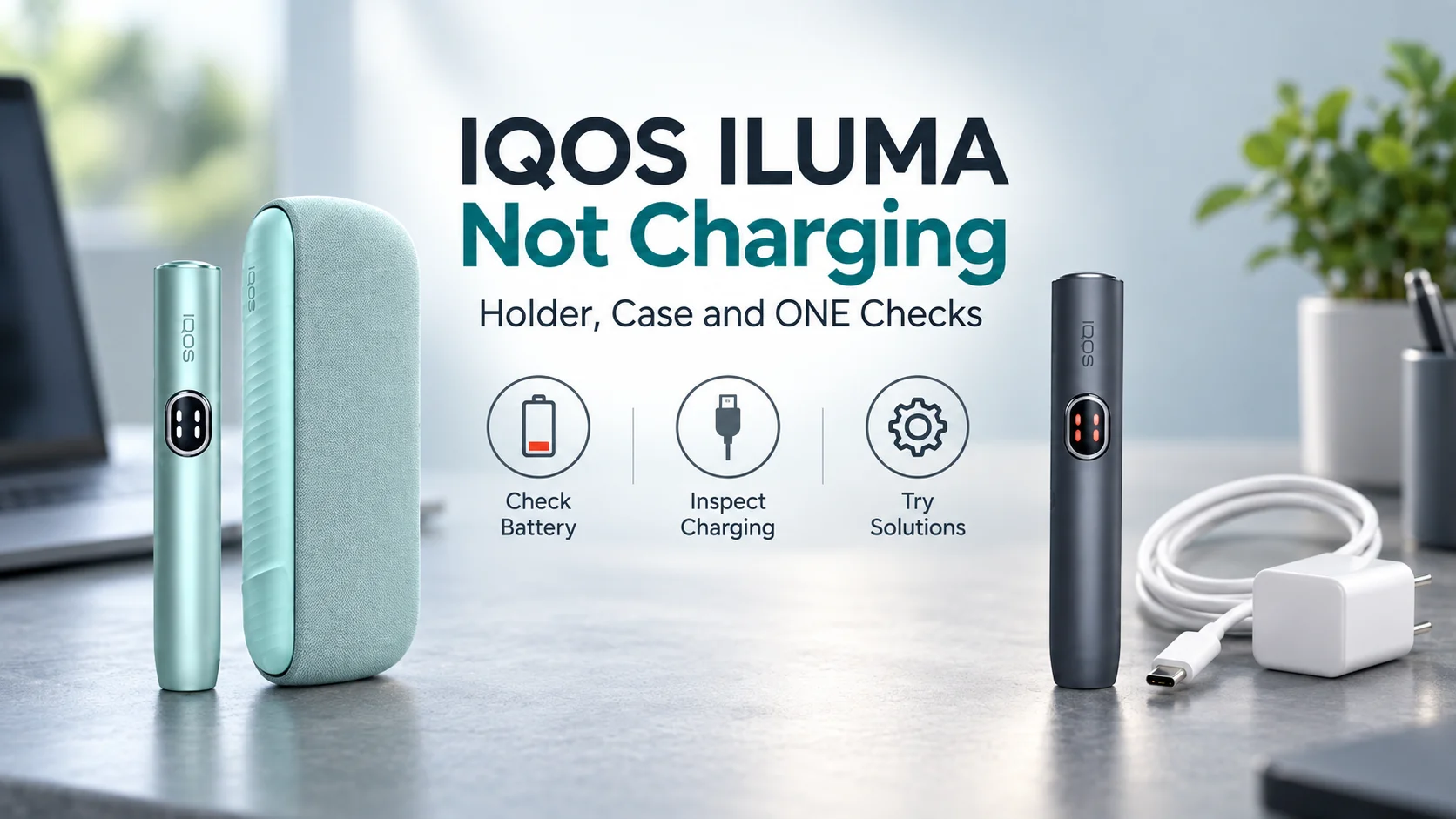
An IQOS ILUMA that will not charge is easier to diagnose once you separate the power source, the Pocket Charger and the Holder. On a ONE model, the device itself replaces both the case and holder. Start with the part that has no charging response, then follow only the checks for your model.
Quick answer
If the case or ONE shows no lights: check a working wall outlet, the charging cable and a clean, dry USB-C port; a completely flat battery may take up to 20 minutes before a light appears. If the case lights work but the Holder stays dark: check its seating and wipe the charging contacts with a soft, dry cloth. Reset only after those checks, using the instructions for your exact model. IQOS charging guidance.
Do not charge a device with visible damage, a leaking battery, liquid exposure or signs of overheating. Do not open the housing or try to replace its battery. Use your local IQOS support service instead. Manufacturer safety warnings (PDF).
In this guide
First, identify which IQOS ILUMA you have
Do not diagnose every ILUMA as if it had a charging case. The original and i generations each include two-piece models and a one-piece ONE model. The name on the device or packaging determines which branch below applies.
On a narrow screen, scroll inside the table.
| Model | Charging parts | Start here |
|---|---|---|
| ILUMA / ILUMA PRIME | Holder inside a Pocket Charger | Check case lights, then Holder contacts. |
| ILUMA i / ILUMA i PRIME | Holder inside a Pocket Charger | Check case lights, then Holder contacts and Touch Screen. |
| ILUMA ONE | One-piece device; no Pocket Charger | Check the wall supply and its USB-C port. |
| ILUMA i ONE | One-piece device; no Pocket Charger | Check the wall supply and its USB-C port. |
If you have a two-piece model, there is no useful reason to troubleshoot a ONE charging port. The Holder charges when correctly seated inside its compatible Pocket Charger. An older IQOS 3 DUO Pocket Charger is not a charger for an ILUMA Holder.
Which part is actually failing to charge?
No lights on the Pocket Charger
Briefly press its button. If the case remains dark, start with the wall outlet, cable, USB-C port and a depleted battery. The Holder cannot recharge from an empty or unresponsive case.
Case lights work; Holder stays dark
The fault may be at the Holder-to-case connection. Check its seating and the charging contacts before a model-specific reset.
ILUMA i Holder flashes “0”
Three flashes of the 0 on its Touch Screen indicate a discharged Holder. Charge the case first, then leave the Holder correctly seated inside it.
ONE or i ONE does not respond
There is no separate case to test. Check the one-piece device, cable, adaptor and port directly.
Pocket Charger has no lights or charges too slowly
On a two-piece ILUMA, briefly press the Pocket Charger button to check its battery status. A dark case may be off, deeply discharged or unable to take power. Work through the supply before assuming a dead battery. IQOS explains the no-lights checks.
Check the wall supply
Use a working wall outlet, the supplied or manufacturer-approved cable and a compatible AC power adaptor. Reseat both ends. If you have a known-good compatible cable or adaptor, try it to isolate the failed part. A laptop USB port is a poor main test for this problem. Official charging FAQ.
Inspect the USB-C connection
Unplug the case. Check the port and cable end for obvious contamination or damage. IQOS recommends gently clearing dust from a distance and keeping the port clean; do not push a metal object inside it.
Give a flat battery time to respond
Reconnect to the wall and allow up to 20 minutes for a charging light pattern before calling a still-dark case unresponsive. This is not the full-charge time. The manufacturer notes that a deeply discharged ILUMA Pocket Charger may take that long to show lights. IQOS ILUMA troubleshooting.
If the case lights appear, leave it charging according to your model guide, then check whether the Holder begins to charge. If the case still gives no response with a known-good power supply, use the manufacturer’s diagnostic or service route.
Pocket Charger works, but the Holder will not charge
If the case shows charge while the Holder does not, focus on the connection between the two. This is a different symptom from a completely dark Pocket Charger. IQOS lists poor seating and dirty contacts among the possible causes.
Seat the Holder correctly
Place the Holder fully inside the correct Pocket Charger and close the door or wrap as your model requires. Check that the Pocket Charger itself has charge. Do not force the Holder or try a charger from an older IQOS generation.
Clean only the charging contacts
Switch off and unplug the Pocket Charger before handling the contacts. Remove the Holder and wipe the visible contact areas on the Holder and inside the case gently with a soft, dry cloth. Reinsert it and look for the Holder status lights. IQOS contact-cleaning guidance.
Allow the Holder to take charge
Leave it seated until a Holder status light becomes steady. On an ILUMA i or i PRIME, a short press or tilt of the Holder can then show whether it has charge. If the lights still do not respond, use the reset for your exact model below.
These steps concern the charging contacts between the two pieces. ILUMA’s bladeless heating chamber does not require the cleaning routine used for an older blade-based IQOS. IQOS care guidance.
ILUMA i shows a flashing “0” on the Touch Screen
On an ILUMA i or i PRIME Holder, a 0 flashing three times indicates a discharged Holder. It does not by itself prove that the Holder or battery has failed. IQOS gives a specific charging sequence for this display:
Charge the Pocket Charger
Briefly press its button and confirm that it has enough charge to recharge the Holder. If the case is empty, follow the Pocket Charger checks above first.
Insert and close
Seat the Holder correctly and close the Pocket Charger. Leave it there until at least one Holder Status Light on the case turns solid white.
Check the Holder again
Take it out and briefly press its control or check the Touch Screen. If the case charged but the Holder still never indicates a charge, revisit the dry contacts and then the correct reset.
For broader ILUMA i features and model differences, see our IQOS ILUMA i FAQ.
IQOS ILUMA ONE or i ONE will not charge
ONE models have a single device and a USB-C charging port. There is no Pocket Charger or separate Holder contact to clean. Press the device button briefly to check the level: a yellow low-battery signal means you should charge it, while no response calls for checking the power path. IQOS i ONE battery guidance.
- Try a working wall outlet and the supplied or manufacturer-approved cable with a compatible adaptor.
- Unplug first; inspect the device port and cable end for dirt, moisture or physical damage. Clean only as the manufacturer instructs. Do not insert a metal pick.
- Reconnect and wait for the charging lights. A completely flat device may take time to respond; the IQOS Poland i ONE charging page says up to 20 minutes.
- If lights come on but the level still does not rise, try the applicable reset below, then use official diagnostics if the fault persists.
Do not borrow the reset procedure or battery-time estimate from a two-piece ILUMA. The original ONE and newer i ONE have their own guides.
When and how to reset the right model
Try a reset after checking power, seating and dry contacts, provided the device is undamaged and responds safely. A reset cannot repair a broken USB-C port, liquid damage or a failing battery. Follow the row that exactly matches the name on your device.
On a narrow screen, scroll inside the table.
| Model family | Control to use | Official instruction |
|---|---|---|
| ILUMA / ILUMA PRIME | Pocket Charger, with Holder inside | Press for 10 seconds, release and watch for the confirming lights. IQOS guide. |
| ILUMA i / ILUMA i PRIME | Pocket Charger, with Holder inside | Press for 10 seconds. The status lights go off and come back to confirm. IQOS i guide. |
| ILUMA ONE | Button on the one-piece device | Press for 7 seconds, then release; lights blink to confirm. IQOS ONE support. |
| ILUMA i ONE | Button on the one-piece device | Check the user guide supplied with your model or your local IQOS diagnostic: official pages differ between 7 and 10 seconds. See the note below. |
IQOS’s Poland model FAQ says 7 seconds, while its Poland charging page says 10 seconds. Follow the documentation and diagnostic for the exact device you own rather than treating either figure as a rule for every market.
When charging checks should stop
If the device has been left in a very hot or cold place, bring it back to normal indoor temperature naturally before another attempt. Do not speed that up with a heater, hair dryer or refrigerator. IQOS notes that temperature can affect operation; its battery information also explains that rechargeable batteries lose capacity with age.
Stop charging if the housing, cable or port is damaged, the device is wet, the battery seems to leak, or it overheats. Do not open it or replace the sealed battery yourself. IQOS safety warnings.
If a sound device still shows no charging response after a working wall supply, a compatible cable, time for a depleted battery and the correct model checks, contact IQOS support in the country where you use or bought it. Record the exact model, what lights appeared, which cable/adaptor you tried and whether the case or only the Holder failed. The official device selector can guide the next diagnostic step; replacement or warranty options depend on local terms.
If the device holds a charge but will not start heating a stick, treat that as a different fault. Our device care and troubleshooting FAQ covers the broader starting points.
Final verdict
Find the failed link before you reset anything
For a two-piece ILUMA, verify the wall supply and Pocket Charger first, then the seating and dry contacts of the Holder. For ONE, go straight to its cable and USB-C port. A flashing 0 on an ILUMA i Holder points to an empty Holder, not an automatic hardware verdict. Reset only with the exact model instructions; if safe checks fail or there is damage, use IQOS support rather than attempting a battery repair.
Frequently asked questions
Why does my IQOS ILUMA show no light when I plug it in?
It may be switched off, fully discharged or not receiving power from the wall outlet, cable or adaptor. Inspect a dry, undamaged USB-C port and allow a deeply depleted device up to 20 minutes to show a light. If it remains dark on a working compatible supply, use the official diagnostic for your model. IQOS no-lights guidance.
Why is the case charging but not the Holder?
Check that the Pocket Charger has charge and the Holder is correctly seated. With the case unplugged, gently wipe the charging contacts on both parts with a soft, dry cloth. If the Holder status lights still do not respond, follow the reset for the exact ILUMA generation or contact support. IQOS Holder checks.
What does a flashing 0 mean on IQOS ILUMA i?
When the Touch Screen flashes 0 three times, IQOS says the Holder is discharged. Put it in a sufficiently charged Pocket Charger until at least one Holder status light on the case is solid white. IQOS i troubleshooting.
Can I use an old IQOS 3 DUO case to charge an ILUMA Holder?
No. The ILUMA/ILUMA PRIME Holders are not compatible with IQOS 3 DUO or earlier Pocket Chargers. Use the correct ILUMA charging case. Compatibility of a separate cable or adaptor is a different question and should be checked against your model guide. IQOS compatibility FAQ.
How long should I hold the reset button on ILUMA i ONE?
Check the instructions supplied with your exact device or the IQOS diagnostic in your market. Official IQOS pages are inconsistent: a model FAQ gives 7 seconds, while a charging troubleshooting page gives 10 seconds. The reset button is on the one-piece device, not on a separate case. Model FAQ · charging troubleshooting.
Should I replace the battery myself if it still will not charge?
No. IQOS safety instructions say the device has no user-serviceable parts and warn against opening it or replacing its sealed battery. Stop charging a damaged, wet, leaking or overheating unit and contact official support. Safety instructions (PDF).
Related NARNAY guides
Sources and editorial note
- IQOS UK — No lights on IQOS ILUMA: checks for the Pocket Charger, Holder and contacts.
- IQOS Switzerland — ILUMA i troubleshooting: flashing 0 and Holder charging sequence.
- IQOS Switzerland — ILUMA device FAQ and IQOS UK — ILUMA i FAQ: charging structure, model compatibility and two-piece resets.
- IQOS Poland — ILUMA i model FAQ and i ONE charging help: conflicting i ONE reset timings.
- IQOS — ILUMA i ONE Safety Warnings & Instructions (PDF): damaged devices, liquid and sealed battery.
Official product information checked on 26 September 2026. Guidance can differ by model and country; follow the user guide supplied with your device and your local IQOS support instructions. NARNAY has not claimed to test or repair these devices. IQOS and tobacco/nicotine products are for adults and are not risk-free; nicotine is addictive.